




Before you leave...
Check our Sierra Chart Suite PRO
Custom Study for Sierra Chart
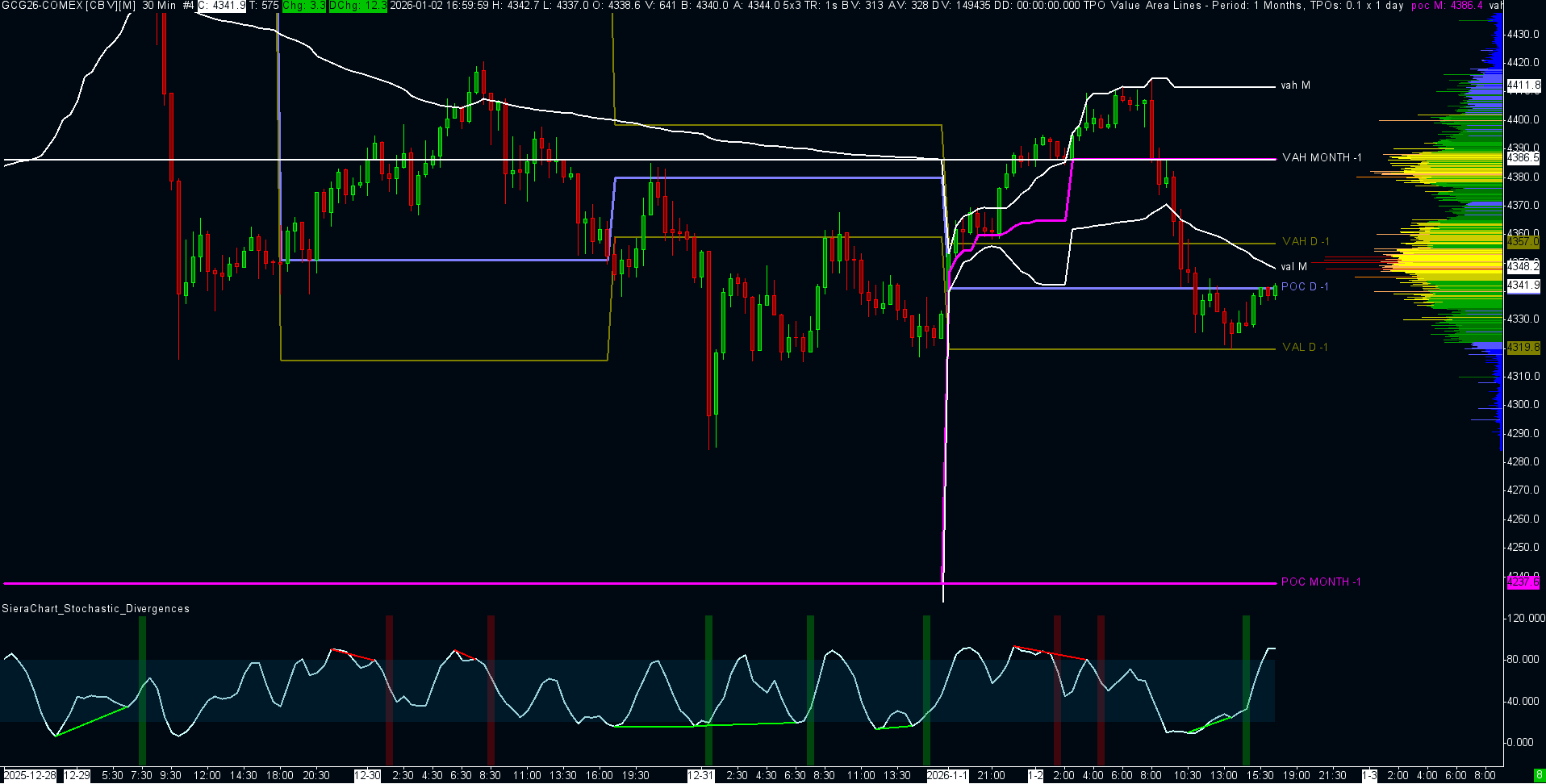
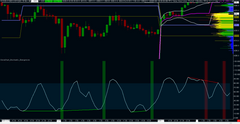
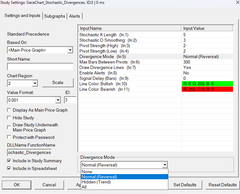
The Sierra Chart Stochastic Divergence is a precision-engineered study designed to automate the detection of market imbalances. It scans for discrepancies between Price Action and Momentum (Stochastic) to identify high-probability turning points.
It eliminates the subjectivity of drawing lines manually. By using advanced "Fractal Pivot" logic, it draws the divergence lines directly on your oscillator panel and highlights the background the moment a signal is confirmed.
Optimized for C++ (ACSIL) performance. Works on all timeframes and bar types.
The indicator constantly tracks the relationship between price structure and momentum structure:
The Problem with Standard Indicators:
Most divergence indicators lag significantly or "repaint" their signals because they don't understand market structure. They just look at the last 2 bars.
The Smart Solution:
This indicator comes with a bonus Sierra Chart Chartbook, featuring a Composite Volume Profile and Long-Term TPO (Market Profile levels) template.
Important: Make sure you have updated to the latest version of Sierra Chart
After purchasing one of our indicators, please contact us and provide your Sierra Chart username so we can activate the indicator. Once it has been activated, restart your Sierra Chart platform.
Next, open Sierra Chart and the chart where you want to add the indicator:
1. Go to Analysis in the top menu bar.
2. Click on Studies.
3. In the "Studies" window, click Add Custom Study....
4. Find your new indicator in the list , select it, and click Add.
Template included with the indicators:
Copy the template file received by email template.cht into your C:\SierraChart\Data\ folder. Restart your Sierra Chart platform, open the Chartbook
To get the most out of our Sierra Chart templates, you need at least the following subscription:
“Integrated Sierra Chart with Advanced Features (Service Package 5) at 36 USD”.
We also recommend purchasing the “Denali Exchange Data Feed” data source, for access to accurate, professional market data.
(Denali : 11usd with a Stage5 broker account)
Our templates are available as one-time purchases, meaning you pay once and own the template indefinitely. There are no monthly subscription fees associated with our products, allowing you to use them without ongoing costs.
- Be sure to update to the latest version of sierrachart.
- Copy the template file received by Email, template.cht into your \SierraChart\Data\ folder.
- Restart your Sierra Chart platform and open the corresponding Chartbook.
Unfortunately, we do not offer trial versions of our Templates / Chartbooks. However, we provide detailed descriptions and support to help you understand how our templates work and how they can enhance your trading experience.
Yes, we offer 7 days Trial for our indicators, please email us your sierra chart username for activation.
We are committed to providing high-quality templates. Refunds are only issued for verified technical issues with our products. Technical support is available to assist you in resolving any problems you may encounter.
Our team of traders and Sierra Chart experts also offers personalized coaching to help you get started with the Sierra Chart platform.
Our templates are optimized and configured to work on a specific market (NQ, ES, ZN, Gold...). However, if you have advanced knowledge of your market and SierraChart, it is possible to modify the settings to match the characteristics, schedules, etc. of another market.
Thanks for subscribing!
This email has been registered!
| Product | SKU | Description | Collection | Availability | Product Type | Other Details |
|---|